
WordPress Website Design and Development: The Complete Guide for 2026
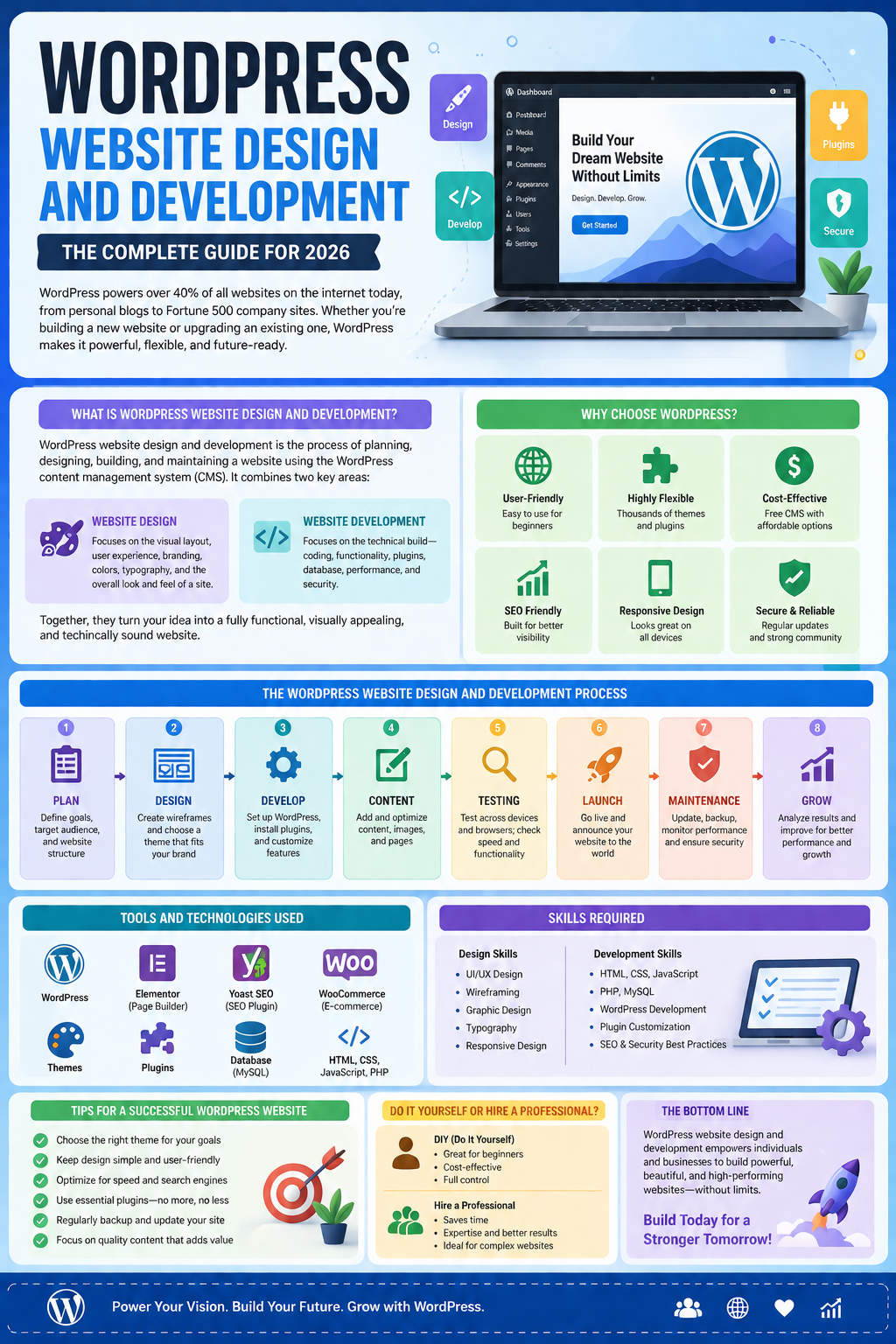
If you’re planning to build or upgrade a website, you’ve likely come across one platform more than any other: WordPress. WordPress website design and development powers over 40% of all websites on the internet today, ranging from personal blogs to Fortune 500 company sites. But what does it actually involve, and how do you approach it the right way?
In this guide, we’ll break down everything you need to know about WordPress website design and development — what it means, why businesses choose it, the process involved, the tools and skills required, and how to make smart decisions whether you’re doing it yourself or hiring a professional.
What Is WordPress Website Design and Development?
WordPress website design and development refers to the process of planning, designing, building, and maintaining a website using the WordPress content management system (CMS). It combines two closely related disciplines:
- Website design focuses on the visual layout, user experience (UX), branding, color schemes, typography, and overall look and feel of a site.
- Website development focuses on the technical build — coding, functionality, plugin integration, database structure, performance, and security.
Together, these two disciplines turn an idea into a fully functioning, visually appealing, and technically sound website. WordPress makes this process accessible because it provides a flexible foundation — themes for design, plugins for functionality, and a built-in editor for content management — without requiring users to build everything from scratch.
Why WordPress Is the Preferred Platform for Website Design and Development
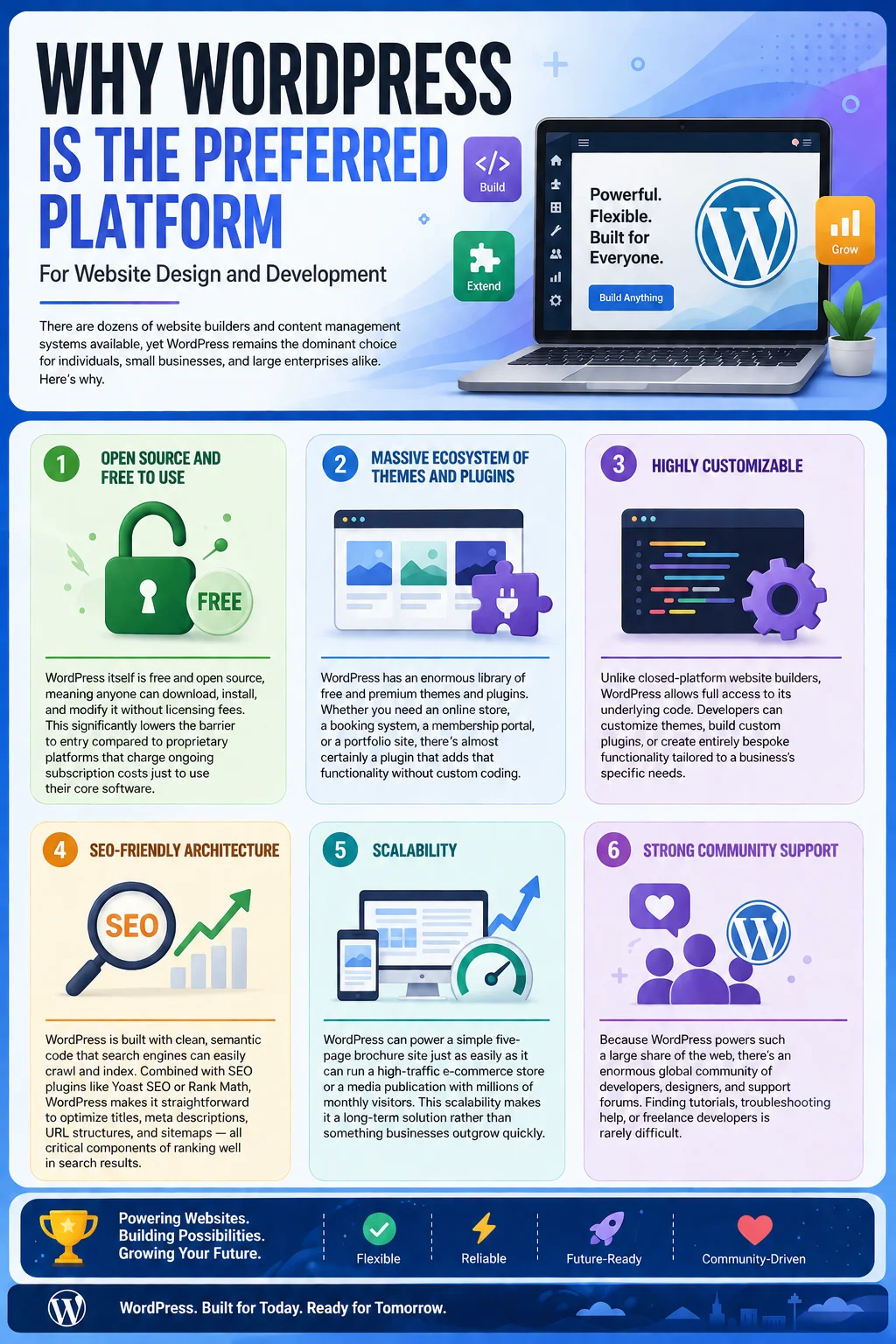
There are dozens of website builders and content management systems available, yet WordPress remains the dominant choice for individuals, small businesses, and large enterprises alike. Here’s why.
1. Open Source and Free to Use
WordPress itself is free and open source, meaning anyone can download, install, and modify it without licensing fees. This significantly lowers the barrier to entry compared to proprietary platforms that charge ongoing subscription costs just to use their core software.
2. Massive Ecosystem of Themes and Plugins
WordPress has an enormous library of free and premium themes and plugins. Whether you need an online store, a booking system, a membership portal, or a portfolio site, there’s almost certainly a plugin that adds that functionality without custom coding.
3. Highly Customizable
Unlike closed-platform website builders, WordPress allows full access to its underlying code. Developers can customize themes, build custom plugins, or create entirely bespoke functionality tailored to a business’s specific needs.
4. SEO-Friendly Architecture
WordPress is built with clean, semantic code that search engines can easily crawl and index. Combined with SEO plugins like Yoast SEO or Rank Math, WordPress makes it straightforward to optimize titles, meta descriptions, URL structures, and sitemaps — all critical components of ranking well in search results.
5. Scalability
WordPress can power a simple five-page brochure site just as easily as it can run a high-traffic e-commerce store or a media publication with millions of monthly visitors. This scalability makes it a long-term solution rather than something businesses outgrow quickly.
6. Strong Community Support
Because WordPress powers such a large share of the web, there’s an enormous global community of developers, designers, and support forums. Finding tutorials, troubleshooting help, or freelance developers is rarely difficult.
Key Elements of WordPress Website Design
Good WordPress website design and development starts with strong design fundamentals. Below are the core elements that shape how a WordPress site looks and functions for visitors.
Visual Branding
Your website should reflect your brand identity — logo, color palette, fonts, and imagery should all be consistent with your overall branding across other channels. WordPress themes allow deep customization of these elements through the WordPress Customizer or page builders.
Layout and Navigation
A clean, intuitive layout helps visitors find what they’re looking for quickly. This includes a well-structured main menu, clear calls-to-action (CTAs), logical page hierarchy, and a footer with essential links (contact info, privacy policy, social media, etc.).
Responsive Design
With most web traffic now coming from mobile devices, responsive design is non-negotiable. A responsive WordPress site automatically adjusts its layout, images, and text to look great on desktops, tablets, and smartphones. Most modern WordPress themes are responsive by default, but developers should still test thoroughly across devices.
Typography and Readability
Font choice, size, spacing, and contrast all affect how easily visitors can read and absorb your content. Good WordPress design balances aesthetics with readability, ensuring text isn’t too small, too dense, or difficult to scan.
Page Speed and Performance
Design choices directly affect load times. Large, unoptimized images, excessive animations, or bloated page builders can slow a site down significantly. A well-designed WordPress site balances visual appeal with performance, often through image compression, lazy loading, and lightweight themes.
User Experience (UX)
Beyond visuals, UX considers how visitors interact with a site — how many clicks it takes to complete an action, how forms are structured, how easy it is to find contact information, and whether the overall experience feels smooth and frustration-free.
The WordPress Website Development Process
Understanding the development process helps set realistic expectations, whether you’re working with a developer or handling the project yourself.
Step 1: Planning and Research
Before any design or coding begins, it’s important to define the website’s goals, target audience, and required features. This includes competitor research, sitemap planning, and deciding what pages and functionality the site needs (contact forms, blog, e-commerce, booking systems, etc.).
Step 2: Choosing a Hosting Provider and Domain
WordPress requires web hosting to run. Popular options include managed WordPress hosts (like WP Engine or Kinsta), as well as general hosting providers that support WordPress installations. Choosing reliable, fast hosting significantly impacts site performance and uptime.
Step 3: Installing WordPress
Most hosting providers offer one-click WordPress installation. Once installed, the WordPress dashboard becomes the control center for managing content, design, and functionality.
Step 4: Selecting a Theme or Building a Custom Design
At this stage, developers either choose a pre-built theme that matches the desired aesthetic and customize it, or build a custom theme from scratch using HTML, CSS, PHP, and JavaScript. Many projects also use page builders like Elementor, Divi, or the native WordPress Block Editor (Gutenberg) to design pages visually without deep coding knowledge.
Step 5: Installing Essential Plugins
Plugins extend WordPress’s core functionality. Common categories include:
- SEO plugins (Yoast SEO, Rank Math) for optimizing content and metadata
- Security plugins (Wordfence, Sucuri) for protecting against threats
- Caching plugins (WP Rocket, W3 Total Cache) for improving load speed
- Form plugins (WPForms, Gravity Forms) for contact and lead-generation forms
- E-commerce plugins (WooCommerce) for online stores
- Backup plugins (UpdraftPlus) for automated site backups
Step 6: Content Creation and Integration
Once the design framework is in place, content — text, images, videos, and other media — gets added to each page. This is also where on-page SEO elements like headers, meta descriptions, alt text, and internal linking are implemented.
Step 7: Testing
Before launch, thorough testing ensures the site works correctly across browsers and devices, all links function properly, forms submit correctly, and page speed is optimized. This step also includes checking for broken plugins or theme conflicts.
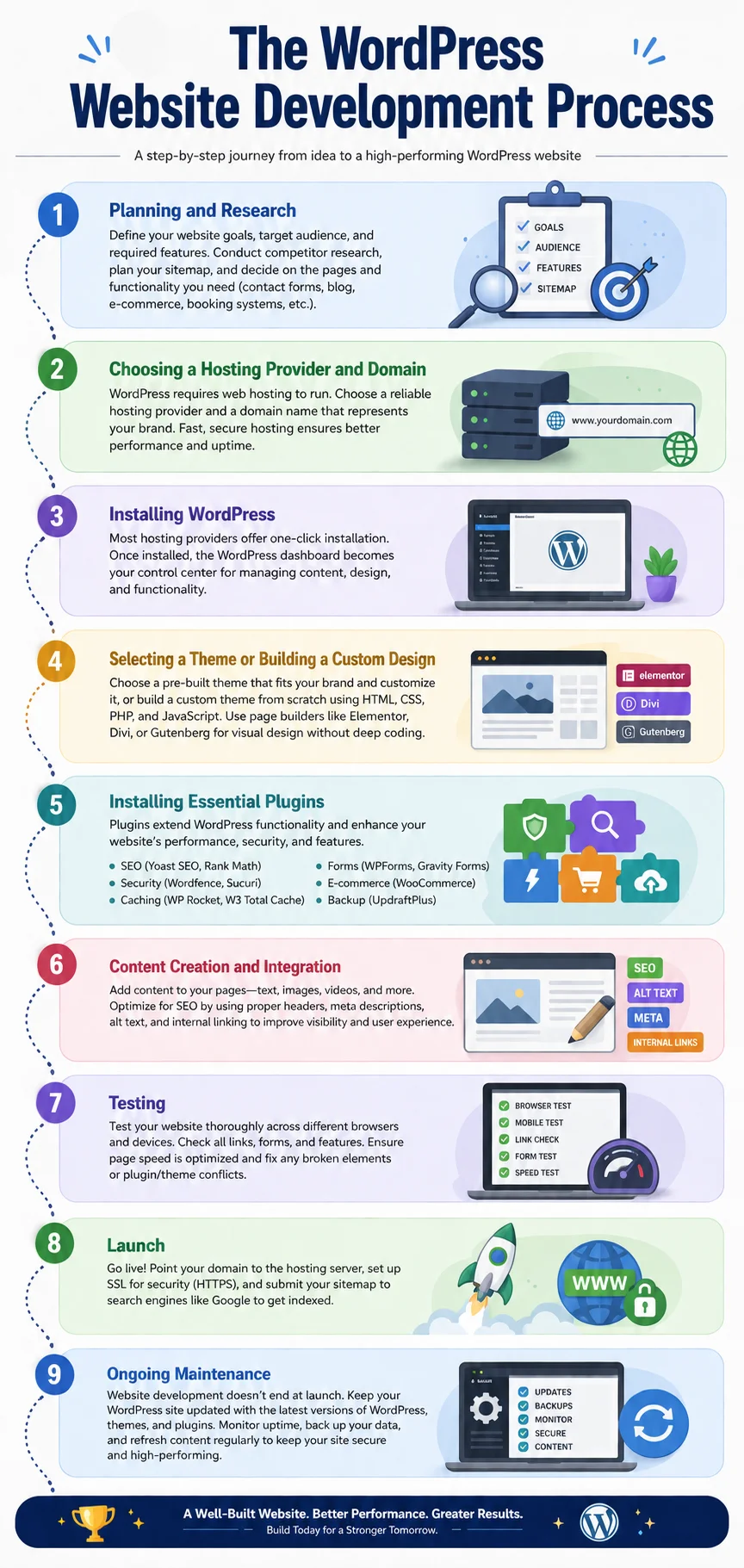
Step 8: Launch
After testing, the site goes live. This typically involves pointing the domain to the hosting server, setting up SSL certificates for security (HTTPS), and submitting the sitemap to search engines like Google.
Step 9: Ongoing Maintenance
Website development doesn’t end at launch. WordPress core, themes, and plugins require regular updates to stay secure and functional. Ongoing maintenance also includes monitoring uptime, backing up data, and periodically refreshing content.
Custom WordPress Development vs. Pre-Built Themes
One of the biggest decisions in WordPress website design and development is whether to use a pre-built theme or invest in custom development.
Pre-Built Themes
Pros:
- Lower upfront cost
- Faster to launch
- Wide variety of styles and industries covered
- Often include built-in customization options
Cons:
- Less unique — many other sites may use the same theme
- May include unnecessary bloat (unused features that slow the site down)
- Customization beyond the theme’s built-in options can require coding knowledge
Custom Development
Pros:
- Fully unique design tailored to brand identity
- Optimized code with no unnecessary bloat
- Functionality built specifically around business needs
- Greater long-term flexibility for scaling
Cons:
- Higher upfront cost
- Longer development timeline
- Requires skilled developers
For small businesses or personal projects with limited budgets, a well-chosen premium theme customized appropriately is often sufficient. For larger businesses, agencies, or projects with specific functionality needs, custom development tends to deliver a stronger long-term return on investment.
Essential Tools and Technologies in WordPress Development
To fully understand WordPress website design and development, it helps to know the core technologies involved:
- PHP – The server-side scripting language WordPress is built on
- MySQL – The database system that stores site content and settings
- HTML/CSS – Used for structuring and styling web pages
- JavaScript – Used for interactive elements and dynamic functionality
- REST API – Allows WordPress to communicate with other applications and services
Developers working on more advanced projects may also use frameworks like the Advanced Custom Fields (ACF) plugin for custom content types, or headless WordPress setups where WordPress serves purely as a backend CMS while a separate frontend (often built with React or Next.js) handles the design layer.
WordPress and E-Commerce: Building Online Stores
A significant portion of WordPress website design and development involves e-commerce. WooCommerce, the most popular WordPress e-commerce plugin, transforms a standard WordPress site into a fully functional online store. It supports:
- Product catalogs with variations (size, color, etc.)
- Secure payment gateway integration (Stripe, PayPal, etc.)
- Shipping calculations and tax rules
- Inventory management
- Coupon codes and discounts
- Order tracking and customer accounts
Because WooCommerce is open source and built on WordPress, store owners retain full control over their data and design — unlike hosted platforms where customization is often limited by the platform’s own rules.
SEO Considerations in WordPress Website Design and Development
Since driving organic traffic is a top priority for most website owners, SEO should be baked into the design and development process from the start rather than treated as an afterthought.
On-Page SEO Elements
- Title tags and meta descriptions for every page, incorporating relevant keywords
- Header tag hierarchy (H1, H2, H3) that organizes content logically
- Image alt text describing visual content for accessibility and search engines
- Internal linking connecting related pages and blog posts
- Clean URL structures that are short, descriptive, and keyword-relevant
Technical SEO Elements
- Mobile responsiveness, since Google uses mobile-first indexing
- Site speed optimization, as page load time is a ranking factor
- XML sitemaps submitted to search engines for easier crawling
- Structured data (schema markup) to help search engines understand content context
- HTTPS/SSL security, which is both a trust signal and a ranking factor
WordPress SEO plugins simplify much of this process, but a well-structured site built with clean code and proper information architecture provides the strongest foundation.
Website Performance and Speed Optimization
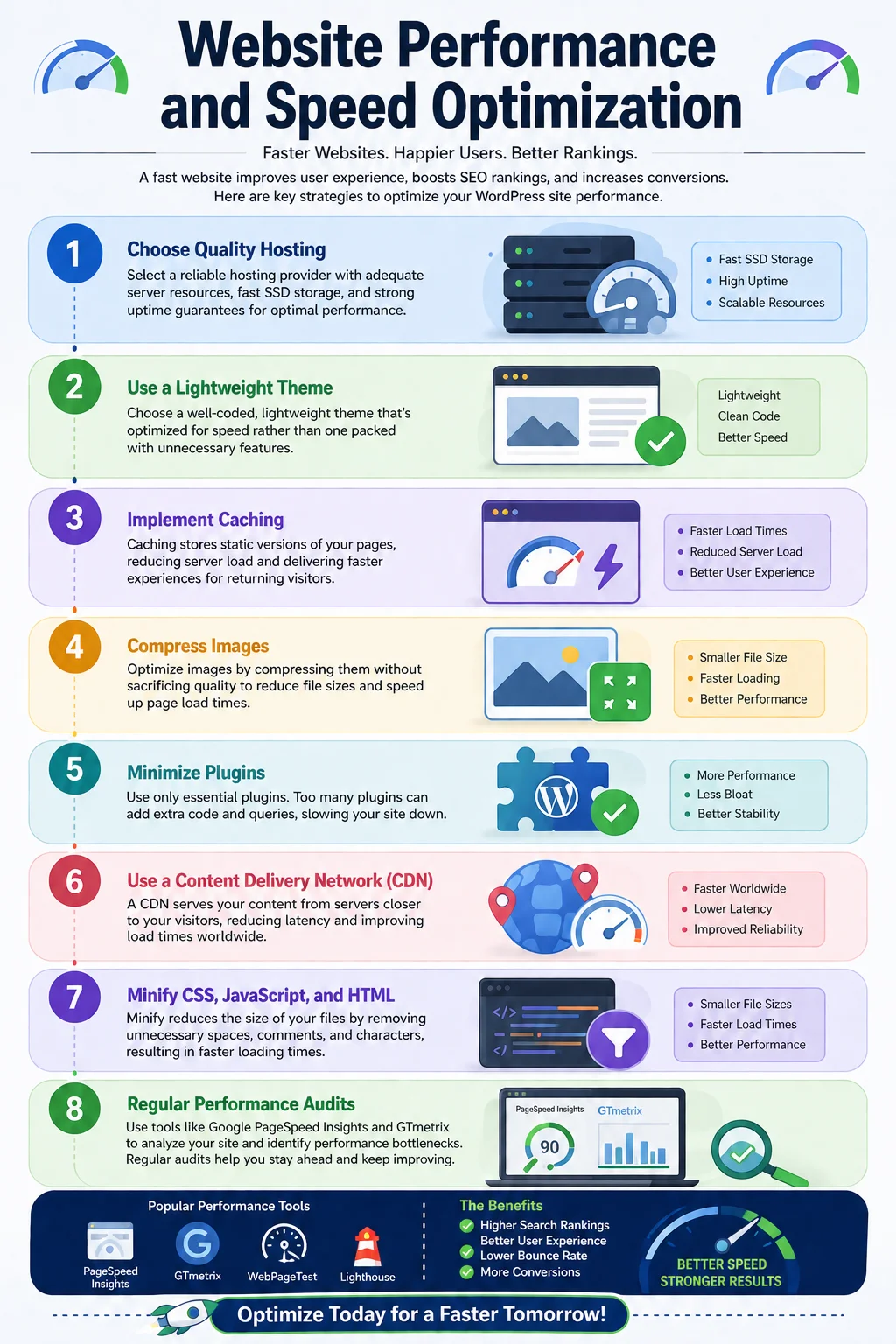
Page speed affects both user experience and search rankings. Key strategies for optimizing WordPress site performance include:
- Choosing quality hosting with adequate server resources
- Using a lightweight, well-coded theme rather than a heavily bloated one
- Implementing caching to reduce server load and speed up repeat visits
- Compressing images without sacrificing visible quality
- Minimizing plugins to only those genuinely necessary
- Using a Content Delivery Network (CDN) to serve content faster to users in different geographic locations
- Minifying CSS, JavaScript, and HTML to reduce file sizes
Regular performance audits using tools like Google PageSpeed Insights or GTmetrix help identify specific bottlenecks that need attention.
Security Best Practices for WordPress Websites
Because of its popularity, WordPress is a frequent target for hackers and automated attacks. Strong security practices should be part of any WordPress website design and development plan, including:
- Keeping WordPress core, themes, and plugins updated to patch known vulnerabilities
- Using strong, unique passwords and enabling two-factor authentication
- Limiting login attempts to prevent brute-force attacks
- Installing a security plugin for firewall protection and malware scanning
- Regular backups stored off-site, so the site can be restored quickly if compromised
- Removing unused themes and plugins, which can be entry points for attackers
- Using SSL certificates to encrypt data transmitted between the site and visitors
Hiring a WordPress Developer vs. Building It Yourself
Many people wonder whether they should learn WordPress website design and development themselves or hire a professional. The right answer depends on budget, timeline, technical comfort, and project complexity.
DIY Approach
Building your own WordPress site makes sense if you have a limited budget, a relatively simple site structure, and are willing to invest time learning the platform. WordPress’s user-friendly dashboard and drag-and-drop page builders have made DIY website creation far more accessible than it used to be.
Hiring a Freelancer
Freelance WordPress developers offer a middle ground — often more affordable than agencies while still bringing professional expertise. This works well for small to medium projects with clearly defined requirements.
Hiring an Agency
For larger, more complex projects — especially those involving custom functionality, e-commerce, or ongoing digital marketing needs — a full-service agency often provides the most comprehensive support, from design and development through to SEO and maintenance.
Questions to Ask Before Hiring
- Can I see examples of your previous WordPress projects?
- Do you build custom themes or rely on pre-built templates?
- What is included in ongoing maintenance and support?
- How do you approach SEO during the design and development process?
- What is the expected timeline and cost breakdown?
How Much Does WordPress Website Design and Development Cost?
Costs vary widely based on project scope, complexity, and who’s doing the work.
- DIY with a free theme: Primarily just hosting and domain costs (roughly $50–$150/year)
- DIY with a premium theme: Add $30–$100 for the theme, plus any premium plugins
- Freelancer-built site: Typically ranges from a few hundred to a few thousand dollars, depending on complexity
- Agency-built custom site: Can range from several thousand to tens of thousands of dollars for complex, fully custom builds with e-commerce, integrations, or advanced functionality
Ongoing costs to budget for include hosting, domain renewal, premium plugin licenses, and maintenance or support retainers if working with a developer or agency.
Common Mistakes to Avoid in WordPress Website Design and Development
- Choosing cheap or unreliable hosting, which leads to slow load times and downtime
- Overloading the site with too many plugins, creating security risks and performance issues
- Ignoring mobile responsiveness, alienating the majority of web traffic
- Skipping SEO fundamentals during the build, requiring costly fixes later
- Neglecting regular backups, risking permanent data loss
- Failing to plan content structure before design begins, leading to a disorganized site
- Not testing thoroughly before launch, resulting in broken links or functionality issues going live
Emerging Trends in WordPress Website Design and Development
The WordPress ecosystem continues to evolve. Some notable trends shaping current projects include:
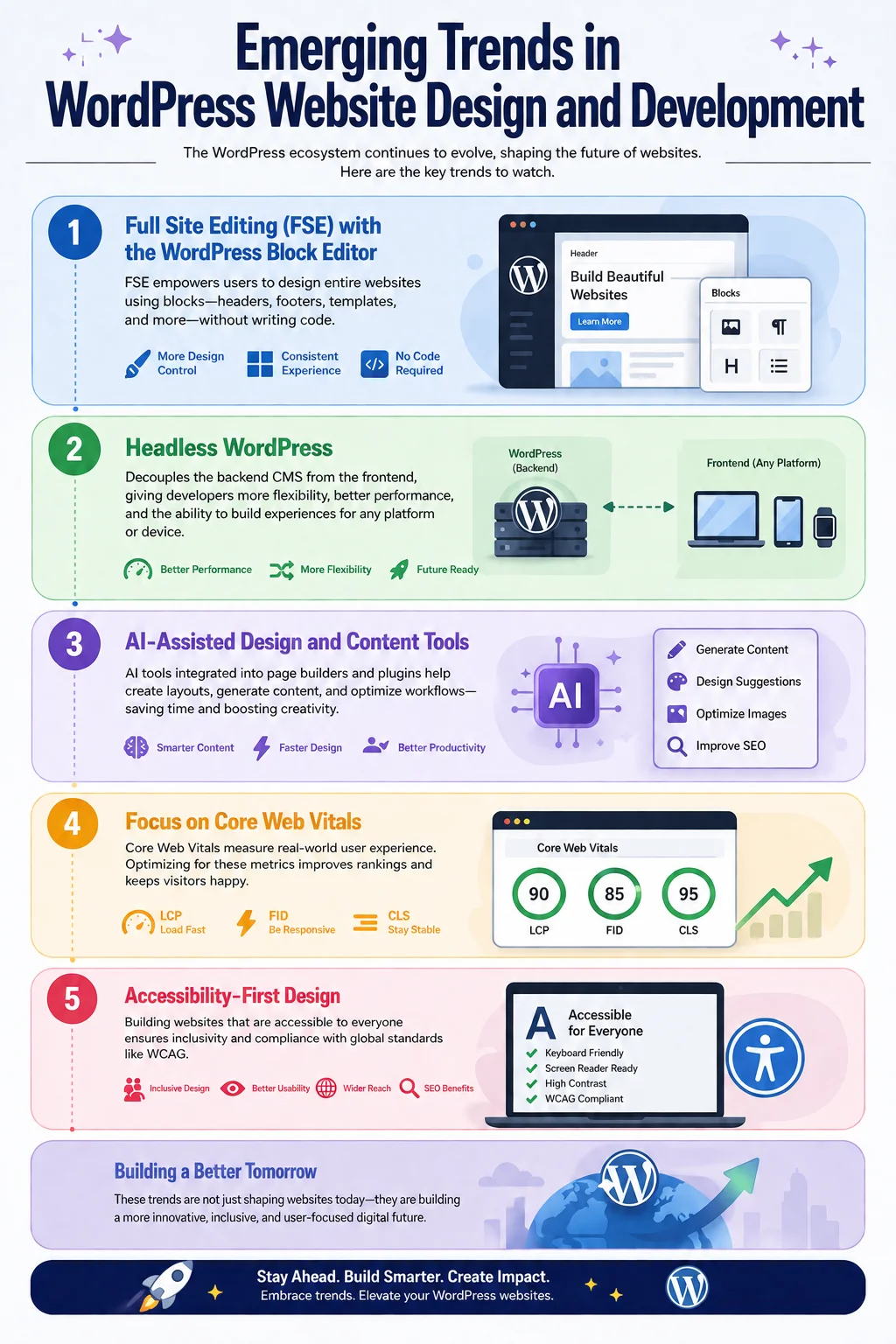
- Full Site Editing (FSE) using the WordPress Block Editor, allowing more design control without custom code
- Headless WordPress, decoupling the backend CMS from the frontend for faster, more flexible sites
- AI-assisted design and content tools integrated into page builders and plugins
- Increased focus on Core Web Vitals, Google’s performance metrics that directly affect search rankings
- Accessibility-first design, ensuring websites are usable by people with disabilities and compliant with standards like WCAG
Final Thoughts
WordPress website design and development remains one of the most flexible, cost-effective, and powerful ways to build a professional online presence — whether for a personal blog, a small business, or a large-scale e-commerce operation. Its open-source nature, vast plugin ecosystem, and strong SEO foundation make it a smart long-term choice for businesses of nearly any size.
Success with WordPress comes down to thoughtful planning, choosing the right combination of themes and plugins (or investing in custom development when needed), prioritizing performance and security, and maintaining the site consistently after launch. Whether you decide to build it yourself or bring in a professional developer or agency, understanding these fundamentals will help you make informed decisions and get the most value from your WordPress website design and development project.
Frequently Asked Questions
Is WordPress good for beginners? Yes. WordPress’s dashboard and page builders are designed to be user-friendly, and there are countless tutorials and community resources available for beginners.
Do I need to know how to code to build a WordPress site? Not necessarily. Many themes and page builders allow you to design a site visually without coding. However, coding knowledge (PHP, HTML, CSS, JavaScript) allows for deeper customization.
How long does it take to build a WordPress website? A simple site using a pre-built theme can be launched in a few days to a couple of weeks. Custom-built sites with advanced functionality can take several weeks to a few months.
Is WordPress secure? WordPress itself is secure when properly maintained. Most security issues arise from outdated plugins, weak passwords, or poor hosting rather than flaws in WordPress core.
Can WordPress handle large, high-traffic websites? Yes. With proper hosting, caching, and optimization, WordPress can scale to handle significant traffic, including large e-commerce stores and media publications.